
In the world of cybersecurity, defenders often face the challenge of custom malware designed to evade traditional detection. This post explores how we can detect threats using Sigma rules with tools like Aurora Lite, a free sigma-based agent. More details about Aurora can be found here: Aurora Agent
Let’s explore executing specially-crafted malware, designed to bypass conventional detection mechanisms. Our focus will be on observing how our defense tools respond to various post-exploitation commands initiated by this malware. Following this, we will take a strategic step forward by developing a custom Sigma rule. This exercise aims to showcase the enhancement of our capabilities in detecting post-exploitation activities resulting in the improvement of our cybersecurity defense posture.
Test Environment Architecture
Below is a description of the testing environment, which is simple yet effectively mimics a real-world environment.
Victim Host Configuration:
- Operating System: The victim host is a virtual machine running a fully updated version of Windows 11.
- Defense Tools: A VM is running Windows Defender with automatic sample submission turned off to avoid the malware sample being uploaded to Microsoft for analysis. Alongside, we have Aurora Lite installed. Aurora Lite is used for detection with IOCs and Sigma rules.
Command and Control Server (C2) Setup:
- Technology Stack: The C2 server code is developed in Node.js.
- Hosting: The server is hosted on Digital Ocean. Hosting the C2 on a cloud platform like Digital Ocean allows us to simulate a realistic internet-based command and control infrastructure.
- Communication Protocol: The malware is programmed to communicate with the C2 server over HTTPS.
Malware Characteristics:
- Development Language: The malware is written in Rust. Rust is being utilized heavily in malware development.
- Features: The custom malware has limited but potent capabilities, including command execution and shellcode injection. These features allow us to simulate realistic attack scenarios and test the effectiveness of our defense tools in detecting and mitigating such threats.
- Stealth and Evasion: The malware is designed to evade standard detection methods, posing a challenge to traditional security tools such as EDR.
Note: The custom malware is not detected by any major EDR as it does not contain signatures.
Malware Execution and Response
Let’s start by starting the Node.js C2 server hosted in Digital Ocean.

Next, let’s execute the custom malware, devoid of known signatures, on the fully updated Windows system with Aurora Lite running in the background. This will allow us to see if the custom malware initially triggers any alerts based on sigma rules. Once the malware is running, we will run some post-exploitation commands to see what is and is not detected.


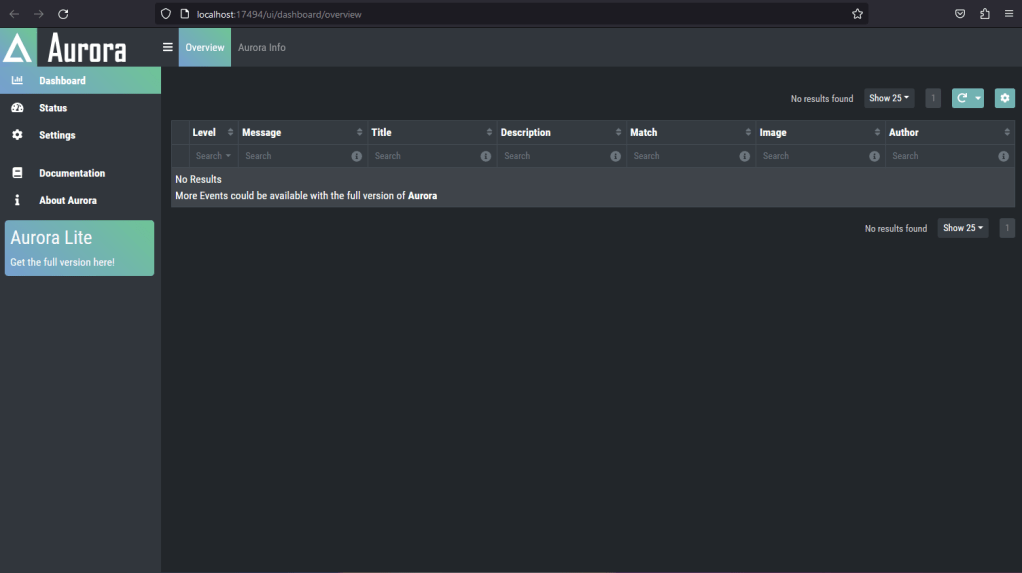
As you can see from the screenshots above, the malware is communicating back to the C2 server allowing for remote command execution. Next, let’s see if Aurora is detecting the initial execution of the malware. Aurora Lite runs locally on the machine and serves a web based dashboard on port 17494. We navigate to the web portal on the victim to view the alert dashboard.

As expected, the Aurora software does not detect the custom malware that is running on the victim system. The malware is not detected as it has been designed with evasion in mind. Now that initial compromise has been simulated, let’s move onto post-exploitation to see if Aurora can detect us.
First, we should execute a command from the C2 server which executes a command on the victim system that will surely trigger an alert from Aurora. Let’s run a command that will execute ‘whoami’. Below shows the command execution of ‘whoami’ as well as the output of the command shown on the C2 server console.

This type of post-exploitation is a clear indicator of malicious activity. We should see if the Aurora agent was able to detect this activity. If we refresh the Aurora dashboard page, we see the malicious activity has been detected.

The command ‘cmd /c whoami’ triggered a Sigma rule alert. Aurora has a constantly updating list of Sigma rules which are located on the local system running the agent. Let’s go ahead and look at the Sigma rule to see how it detected the execution of ‘whoami’.
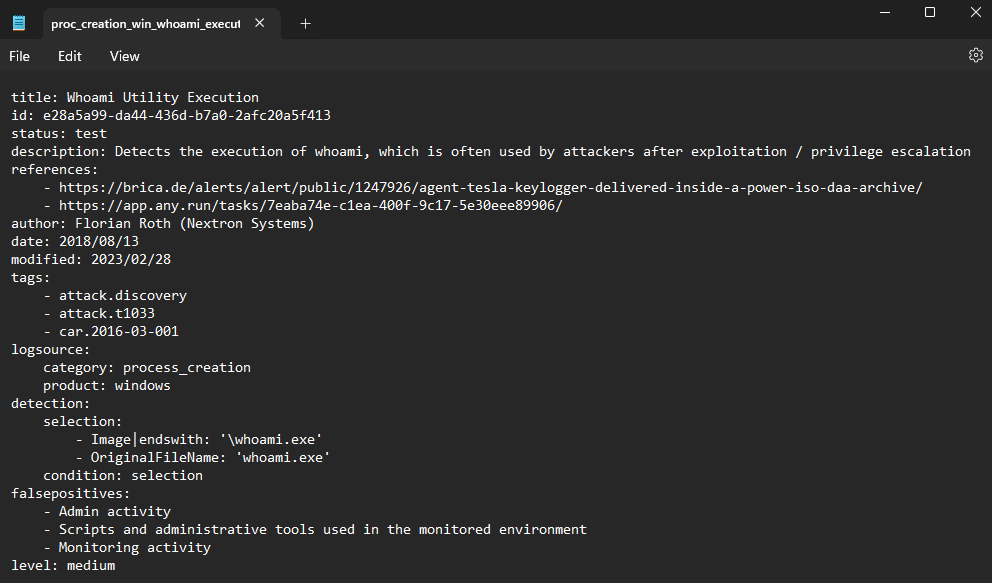
We can see from the Sigma rule that the ‘whoami’ command was detected because the ‘whoami.exe’ process was created. Attackers know this type of behavior is heavily monitored so they generally avoid running a post-exploitation command that would result in the execution of ‘whoami.exe’.
Since we know this type of behavior is detected. Can we think of a different way to execute a command with similar results that might not be detected? Could we simply utilize powershell to achieve the same results of ‘whoami.exe’? Let’s go ahead and run a powershell command to see if Aurora has a Sigma rule that detects the following command ‘powershell $env:USERNAME’. This command will give output similar to ‘whoami’.

We have executed powershell to essentially show similar output as ‘whoami’. Let’s see if Aurora detected this behavior with a Sigma rule.

Looks like we have a detection which detected the execution of the powershell command. That won’t work. Let’s reset the system to clear everything and try a different approach. We will stick to cmd and just try to print two environmental variables to the console and see if that gets flagged. We will run the following command ‘echo %COMPUTERNAME%\%USERNAME%’ to gather the same information that ‘whoami’ produces hopefully avoiding triggering an alert.

Success! We have enumerated the hostname and username without triggering an alert. Now the question is can we create a Sigma rule to detect this behavior? In this particular case, we can detect the behavior. The ‘echo’ command is being executed to print certain environmental variables. If we create a rule to look for command line arguments such as ‘echo %COMPUTERNAME%\%USERNAME%’, we should get an alert for this type of post-exploitation recon. Aurora looks in “C:\Program Files\Aurora-Agent\custom-signatures” for custom Sigma rules. Let’s go ahead and create a rule, reboot the system, and see if the rule triggers an alert.

Now that we have rebooted the system let’s run the same post-exploitation recon command we ran before to enumerate the hostname and username.


Excellent! As you can now see we have an alert for the recon command that was previously undetected. This may be a simple example, but it should show the power and the capabilities of Sigma rules and detection tools like Aurora.
In conclusion, the key to robust cybersecurity defense lies in our willingness to continuously learn, adapt, and apply our knowledge. As defenders, we must embrace innovative technologies and strategies, constantly seeking to outsmart those who pose threats to our businesses. Our success in this endeavor will not only protect our businesses but also contribute to a safer and more secure digital world for everyone.
Below is the Sigma rule we created so you can utilize it in your environment
title: Detection of Echo Command for Computer and User Name
id: 631b22a4-70f4-4e2f-9ea8-42f74d9ef6f8
status: experimental
description: Detects the usage of the "echo" command in Windows batch/cmd to display the computer name and username
author: ShadowC1rcuit
date: 2023-12-06
modified: 2023-12-06
tags:
    - attack.discovery
    - attack.t1087.001  # Discovery of Account Names
    - attack.t1033      # Discovery of System Owner/User
logsource:
    category: process_creation
    product: windows
detection:
    selection:
        CommandLine|contains:
            - 'echo %COMPUTERNAME%\%USERNAME%'
    condition: selection
falsepositives:
    - Legitimate administrative activity
level: medium
Follow me on X ShadowC1rcuit and stay tuned for more security related posts.
 ShadowC1rcuit